
Site survey
We review floors, walls, usage areas and the places where the current signal is weak.
We review the site size, walls and number of users, choose the right number and placement of access points, configure the network and test coverage before handover.
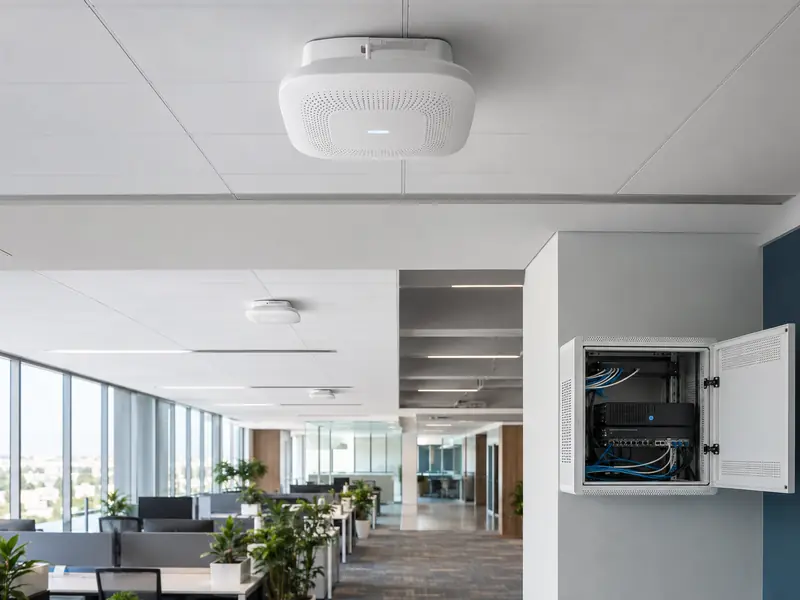 Wi‑Fi · Access Point · PoE
The number of access points is not based on floor area alone. Walls, floors, users and how the network is used all affect placement.
The problem may be device placement, channel settings, cabling or an extender being used in the wrong location. We identify the cause first, then choose the right solution.
We treat wireless coverage as part of the full network, so the installation is easier to manage and maintain later.
We review floors, walls, usage areas and the places where the current signal is weak.
We select the number of access points and their locations based on the site instead of guessing.
When supported, PoE powers the access point through the same network cable, so a separate power adapter is not needed beside the device.
We configure the Wi‑Fi name and password, and can create a separate guest network when the equipment supports it.
We adjust channels and settings to reduce interference and improve movement between access points when the system supports roaming.
We test connectivity and coverage in the agreed areas and explain basic operation before handover.
There is no single answer for every site. The right option depends on cabling, site size and how the network will be used.
| Site situation | What we check | What we consider |
|---|---|---|
| New site or network cabling is available | Network outlets, switch and power | A wired access point setup is often considered because it is stable and easier to manage. |
| Existing home without suitable cabling | Whether cable can be added and distances between rooms or floors | We compare adding wired access points with a Mesh system based on the real site. |
| Many users and devices | Busy areas and type of usage | Several well-placed access points may be better than depending on one powerful device. |
| Guest Wi‑Fi is required | Access point and switch capabilities | A separate guest network can be created when the equipment supports it. |
Walls, stairs and cabinets can block the signal, so placement matters as much as device power.
Poor channel settings can make several devices interfere with each other and reduce Wi‑Fi quality.
An extender that receives a weak signal will usually repeat a weak signal, so it may not solve the real problem.
Even a good access point cannot perform properly if the network cable or switch is not suitable.
Understand the site, weak areas and how Wi‑Fi is used.
Choose the number of access points, their locations and required cabling.
Install network points and access points in the agreed locations.
Configure Wi‑Fi names, passwords, channels, guest access and required settings.
Check coverage and connectivity and explain basic operation before completion.
The number depends on floors, walls, users and where Wi‑Fi is actually used, so we survey the site before confirming the final quantity.
An access point connects directly to the network and is often preferred when network cabling is available, while an extender repeats an existing Wi‑Fi signal. The right choice depends on the site.
Yes, when the equipment supports it. A separate guest network can be created and isolated from the main network according to the project design.
Multiple access points can be configured as one network to make movement between them smoother. Roaming quality depends on the access points, network settings and the client device.
Yes. We test connectivity and coverage in the agreed areas before handover and confirm that the required Wi‑Fi networks and core services are working.
Send the number of floors, approximate size and site photos if available. We will identify what should be checked before you buy more devices.