
A smart lock selected for your door and daily use
We check the door material, thickness and opening direction, then select the required access methods, install the lock, configure it and test it before handover.
- ✓ Door compatibility checked
- ✓ Fingerprint, PIN or card by model
- ✓ Tested before handover
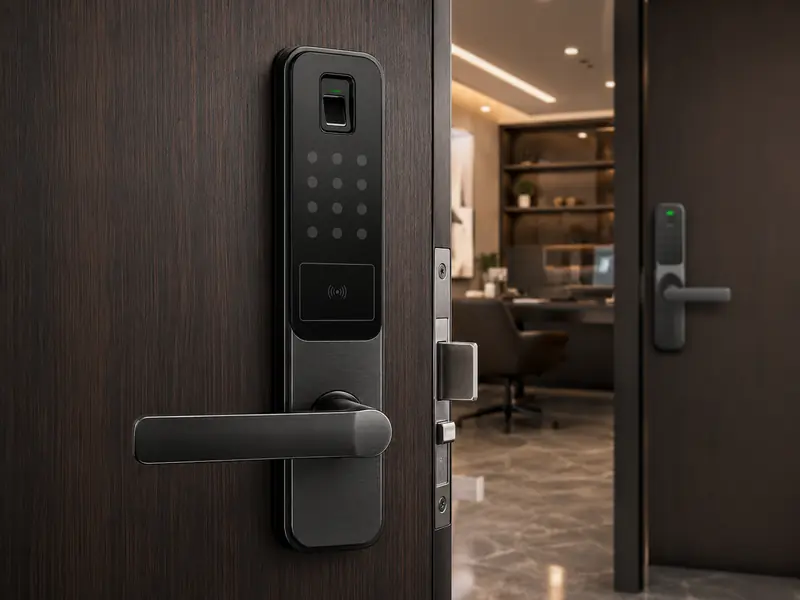
Three things determine the right model
We review the door material, thickness, opening direction and lock-body dimensions before recommending a model.
Fingerprint, PIN, card or mobile access; actual features depend on the selected lock.
Home, office or rental use, number of users and how access permissions need to be managed.
We verify the door before the lock is purchased
What do we check?
- Door thickness, edge clearance and latch position.
- Opening direction and handle position.
- Existing lock body and replacement feasibility.
- Space available for the inner and outer lock panels.
- Battery and emergency-access method required by the model.
Important before buying
Not every smart lock fits every door, and mobile or remote access varies by model. We approve the lock only after checking compatibility and the features required for the project.
Choose the method that fits everyday use
Fast access for enrolled users when the selected model includes a fingerprint reader.
User or guest codes according to the management features of the lock.
Compatible cards or credentials when card reading is supported by the model.
App-based management or unlocking only on models and connection methods that support it.
From survey to handover
Measure the door and confirm the lock body and opening direction.
Review access methods, capacity, compatibility and required features.
Install the lock and set up the required users and settings.
Test locking, unlocking and emergency access, then explain operation to the customer.
Before installing a smart lock
Can a smart lock fit any door?
Not always. Door material, thickness, opening direction and lock dimensions need to be checked before selecting the model.
What happens if the battery runs out?
Emergency behavior varies by model. Low-battery alerts, emergency power or a mechanical key may be available and are confirmed before installation.
Can I unlock it from my phone?
Only if the model, app and connection method support it. We do not assume remote access until the product is verified.
Can I add and remove users later?
On models with user management, fingerprints, cards or PIN codes can be added or removed according to the lock's management method.
Are smart locks suitable for homes and offices?
There are models for different use cases. Selection depends on door type, number of users and the level of access management required.