
Planned coverage and capacity
We review floor area, walls, levels and device density before selecting locations.
We design and install UniFi Wi-Fi around the floor plan and user density, selecting Wi-Fi 6 or Wi-Fi 7, planning channels and roaming, and configuring SSIDs, VLANs, guest access and central management through UniFi Network.
 Ubiquiti UniFi U6 Pro · Wi-Fi 6
The access point is only one part of the solution. Performance depends on planning, cabling, power, configuration and validation after installation.
We review floor area, walls, levels and device density before selecting locations.
Channels, transmit power and coverage overlap are tuned for a cleaner handoff.
Staff, guest and camera networks can be separated when the router and switches support the design.
We check the required PoE standard, switch power budget and uplink speed.
Guest portal, isolation, rate limits and access policies are configured as required.
Coverage, speed and roaming are checked and the agreed settings are documented.
Examples from the UniFi family. Manufacturer maximums do not replace site testing and real-world validation.
A professional indoor option for offices, hotels and schools that need stable capacity.

For new deployments that need 6 GHz and Wi-Fi 7 with suitable wired infrastructure.
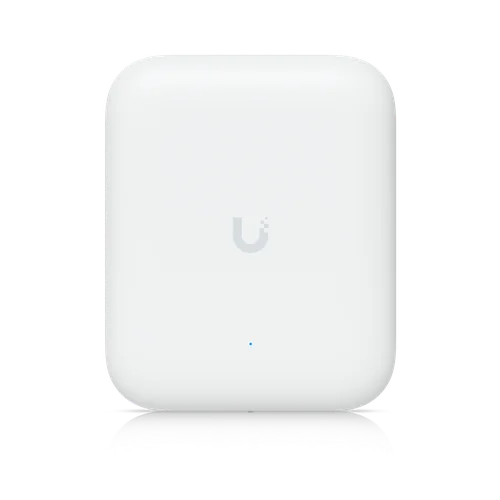
For yards, entrances, warehouses and open areas with flexible mounting and antenna options.
We do not promise a theoretical range or client count before a survey. Walls, interference, mounting height and client capability determine real performance. 6 GHz availability also depends on local regulations and product region.
The management architecture is selected according to the number of sites and who will operate the network after handover. UniFi Network can run on a suitable gateway, console or hosted instance.
Central management does not replace physical planning. AP locations, cabling, power and radio design remain fundamental.
Combines management, routing and services when it fits the site design.
Central control of access points, switches, networks, guests and monitoring.
Sites, permissions and monitoring can be organised to match the project scope.
The correct choice balances client devices, wired infrastructure, density and mounting environment.
| Option | Often fits | Important requirements | Note |
|---|---|---|---|
| U6 Pro · Wi-Fi 6 | Offices, hotels, schools and current business networks | PoE, good channel planning and wired backhaul | A balanced option for many current projects |
| U7 Pro · Wi-Fi 7 | New projects, modern clients and higher capacity | 2.5 GbE and supporting infrastructure where required | Full value depends on compatible clients and regulations |
| U7 Outdoor | Yards, warehouses, entrances and open areas | Safe outdoor mounting and planned antenna direction | Real range varies with obstacles and interference |
The design is based on the environment, user count and business applications.
Managed staff, guest and meeting-room Wi-Fi.
Floor and corridor coverage with guest separation.
Higher capacity and access policies for different users.
Coverage for operations, scanners and connected systems.
Operational, guest and point-of-sale networks.
Multiple planned access points with better roaming than random extenders.
We start with the site rather than a model number, then validate the result after installation.
Floor area, levels, users and applications.
AP locations, cabling, switching and PoE budget.
Structured cabling, mounting and labelling.
SSIDs, VLANs, guest access, channels and management.
Coverage, speed, roaming and documented handover.
Practical answers before selecting a class or estimating the AP count.
The count is not based on floor area alone. Walls, levels, user density, mounting positions and interference all matter. Planning starts with a survey or floor plan, followed by placement and real testing.
Usually, when the site needs one managed network, wired backhaul, multiple SSIDs, VLANs and guest access. The final choice still depends on site size, budget and the existing infrastructure.
Configuration and management use the UniFi Network application on a suitable gateway, console or hosted instance. Some management, reporting and portal functions may require the management platform to remain online, depending on the design.
Yes. Separate SSIDs can be mapped to VLANs and different access policies when the router and switches support the required network design.
Not always. Concrete walls, multiple floors, floor area and device density may require several access points. Correct placement matters more than relying on a theoretical range figure.
UniFi includes radio-management and roaming-related features, but the result also depends on coverage overlap, channel planning, client capabilities and configuration.
Wi-Fi 6 suits most current deployments, while Wi-Fi 7 is useful for new sites, modern clients and higher capacity. Cabling, switching, internet service and client devices must also support the intended performance.
Useful pages for coverage, cabling and access point selection.
The product-class details on this page are based on official Ubiquiti information and may change with manufacturer updates, regional versions and real operating conditions.
Send the floor plan, area, number of levels and expected use so we can suggest a practical starting point.