
Planned coverage and capacity
We review floor area, walls, levels and device density before selecting AP quantity and placement.
We design and install Grandstream GWN Wi‑Fi around the floor plan and user density, selecting Wi‑Fi 6 or Wi‑Fi 7 and configuring roaming, VLANs, guest access and central management.
 Grandstream GWN7660E · Wi‑Fi 6
The access point alone does not determine performance. Results depend on planning, cabling, power, configuration and post-installation validation.
We review floor area, walls, levels and device density before selecting AP quantity and placement.
SSIDs, channels and transmit power are configured to reduce interference and support better mobility.
Staff, guest and device traffic can be separated when the router and switch support the design.
We confirm the PoE standard, available power budget and port speed before connecting GWN devices.
Application priorities, guest policies and portal access can be configured when required.
Coverage, speed and roaming are checked, with agreed network details documented at handover.
These are real GWN models. Published maximums come from Grandstream; real-world results depend on obstacles, interference and client devices.
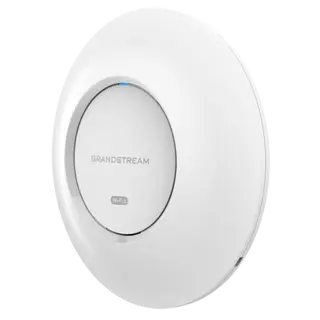
A current option for offices, education and sites with medium-to-high client density.
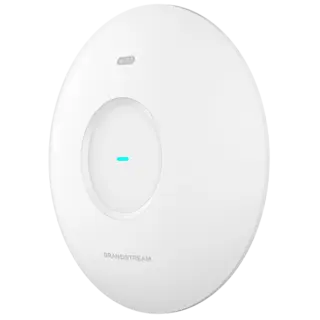
For new deployments that need Wi‑Fi 7 features and wired infrastructure able to support higher speeds.
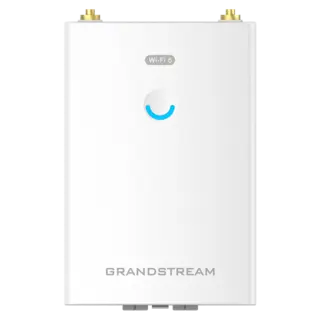
For yards, warehouses and locations requiring a weather-resistant outdoor access point.
We do not promise a published maximum range before a survey. Walls, interference, mounting height and client-device capability can reduce real coverage and speed.
Grandstream provides several ways to manage GWN devices. We select an option based on the number of sites, privacy requirements and who will operate the network.
The cloud platform previously known as GWN.Cloud is now presented by Grandstream as GDMS Networking.
Centralised cloud management suitable for monitoring multiple locations and devices through a browser or app.
On-premise management for projects that prefer to host the controller within their own environment.
Controller software built into supported GWN models for local management without a separate controller appliance.
The right choice balances client devices, wired infrastructure, density and installation location—not headline speed alone.
| Option | Often suitable for | Important requirements | Key note |
|---|---|---|---|
| GWN7660E · Wi‑Fi 6 | Offices, schools, hotels and current business networks | Suitable PoE and planned channel allocation | A balanced option for many current deployments |
| GWN7670 · Wi‑Fi 7 | New projects, modern clients and higher-demand applications | Switching, cabling and wired speeds that can support it | Full benefit requires Wi‑Fi 7-capable client devices |
| GWN7660LR · Outdoor | Yards, warehouses, entrances and open areas | Safe outdoor mounting, height and orientation planning | Actual range varies with obstacles and interference |
Distribution and policies are adapted to the site because a hotel, school and office do not have the same Wi‑Fi requirements.
Staff and guest networks, Wi‑Fi calling support and central management across branches.
Coverage for rooms, corridors and shared areas, with guest policies and captive portal where required.
Separate administration, teacher and student traffic, with capacity planned around classrooms.
Coverage for aisles, yards and mobile devices, accounting for mounting height and metal shelving.
Separation of point-of-sale, staff and guest traffic to protect operational applications.
Planned coverage across levels instead of overlapping standalone range extenders.
We start with the site rather than a model, then validate the result after installation.
Area, levels, users, applications and connected devices.
AP locations, cabling, switching and PoE power budget.
Organised cabling, mounting, connection and labelling.
SSIDs, VLANs, guests, channels and management.
Coverage, speed, roaming and agreed handover details.
Practical answers before choosing a model or deciding how many access points are required.
The number cannot be determined from floor area alone. It depends on the floor plan, walls, levels, user density, mounting positions and interference. We start with a survey or plan, then validate with coverage testing.
GWN solutions support unified wireless deployments and roaming-related features. Actual handoff quality also depends on overlap, channel planning, client-device capabilities and correct configuration.
Wi‑Fi 6 suits most current business and hospitality networks. Wi‑Fi 7 models such as the GWN7670 add newer efficiency and capacity features. The right choice depends on clients, density, speed and wired infrastructure.
Yes. A guest SSID can be separated with suitable policies, VLANs, captive portal and bandwidth limits when the switch, router and network design support them.
Options include the embedded controller, cloud-based GDMS Networking and on-premise GWN Manager. We select the method around site count, privacy and operational requirements.
They can be integrated with compatible third-party infrastructure when the required ports, speeds, PoE and VLAN capabilities are available. The router and switch should be reviewed before installation.
Yes. Grandstream offers weather-resistant long-range models such as the GWN7660LR. Selection depends on environment, distance, mounting position and obstacles.
Useful pages for coverage, wired infrastructure and selecting an appropriate Grandstream solution.
Model specifications are based on official Grandstream product pages and may change with manufacturer updates and real operating conditions.